
14 Best AI Note-Taking Apps in 2026, Compared
By Jordan Patel, Tech Analyst · Updated
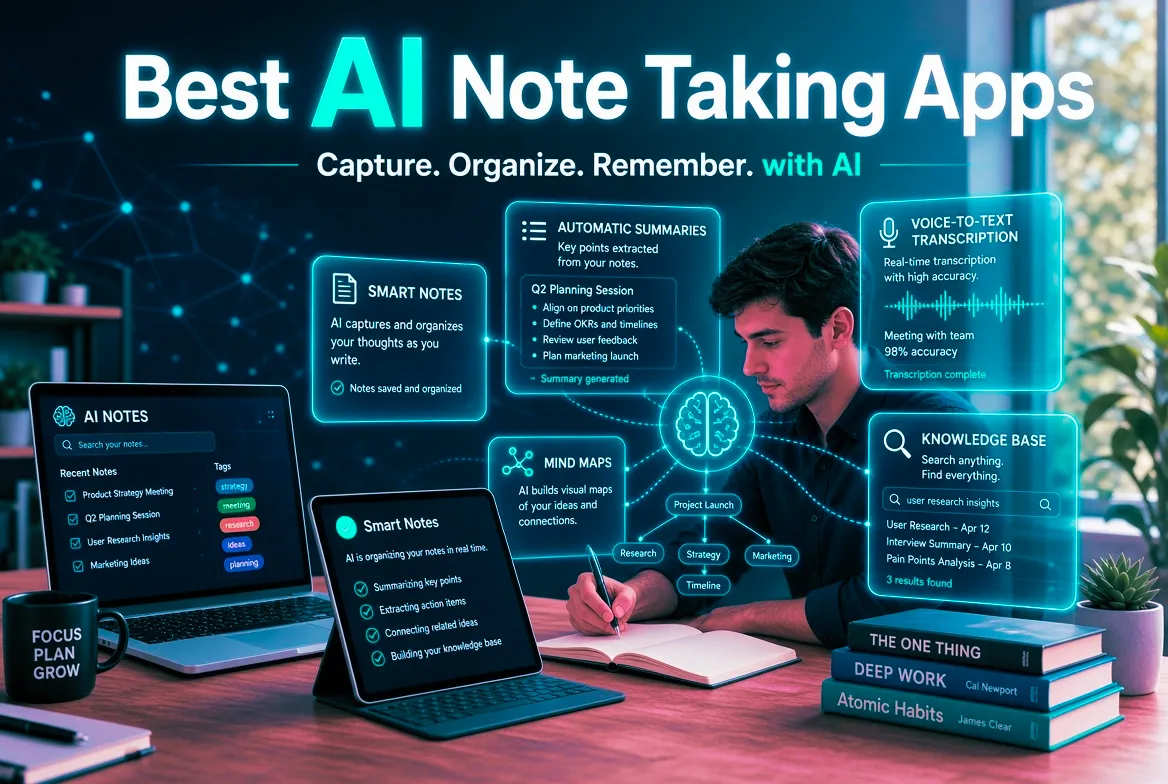
Short answer: the best AI note taking apps in 2026 fall into two groups. For your own notes, Notion AI, Mem, Reflect and Craft organize and search what you write, and NotebookLM works from your sources. For calls, Granola, Fathom, Otter.ai and Krisp record and summarize. Below are 14 AI note-taking apps side by side, with prices as listed on each tool's page.
Quick comparison of the best AI note taking apps
Numbers show list order inside each group, not a score. Confirm prices on the vendor site before you pay.
| Tool | Best for | Starting price | Watch out for |
|---|---|---|---|
| Notion AI | Docs, wikis and notes with built-in AI | Free plan, from $20/mo | Full AI needs the $20 per user Business plan |
| Mem | Notes that organize themselves, with no folders | Free plan, from $12/mo | The free tier's 25 chats and 25 PDFs per month are too thin |
| Reflect | Private, backlinked notes with GPT-4 and voice transcription | Paid, $10/mo yearly | No permanent free plan, only a trial |
| Craft | Polished documents and notes with an AI assistant | Free plan, from $8/mo yearly | The free plan caps blocks and AI credits |
| RemNote | Notes with spaced-repetition flashcards | Free plan, from $8/mo | The strongest AI features need the $18 Pro with AI plan |
| Taskade | Notes, tasks and AI agents in one workspace | Free plan, from $6/mo | The 2026 credit restructure makes older reviews unreliable |
| Coda AI | AI inside docs, tables and team workflows | Free plan, from $10/mo | Steeper learning curve than Notion |
| NotebookLM | Research notes grounded in your own sources | Free plan, from $19.99/mo | Only reasons over the sources you upload |
| Otter.ai | Live transcription with searchable AI chat | Free plan, from $8.33/mo | The free 300-minute cap runs out fast |
| Fireflies.ai | Recording, transcribing and analyzing meetings | Free plan, from $10/mo | A bot visibly joins the call |
| Fathom | Unlimited free meeting recording and summaries | Free plan, from $19/mo | The meeting bot is visible to all participants |
| Granola | Bot-free meeting notes that build on what you type | Free plan, from $14/mo | No recording is kept, and the free plan caps note history |
| Read AI | Meeting intelligence across calls, email and chat | Free plan, from $19.75/user/mo | Check consent policies, because some organizations block its bot |
| Krisp | Bot-free meeting notes with noise cancellation | Free plan, from $8/mo yearly | Free-plan limits are reported inconsistently |
All 14 tools
Notion AI
No longer a $10 add-on — now bundled into Business plans and above
Notion AI brings writing assistance, summarization, Q&A and database automation directly into Notion's workspace, letting you draft content, translate text, or ask questions about your own notes and documents without leaving the app. A significant change worth understanding upfront: the old standalone AI add-on, once available for roughly $8-10/month on top of any Notion plan, was discontinued around May 2025 — AI capability is now bundled directly into Notion's Business plan and above, rather than sold as a separate line item on any tier. Current Notion pricing runs Free (limited AI trial), Plus at $10/user/month (no AI included), Business at $20/user/month (AI included, unlimited), and Enterprise at custom pricing — meaning teams that specifically want Notion AI now need to be on Business or higher, a real cost jump for smaller teams who previously could add AI cheaply to a Plus plan. This bundling also reflects Notion's broader strategy of embedding AI throughout the product (Q&A search, meeting notes, autofill in databases) rather than treating it as a standalone feature. For teams already on or planning to move to Business tier for its other collaboration features, AI now comes at no additional cost, which is a genuine improvement over the old add-on pricing. For smaller teams or individuals who just want lightweight AI writing assistance without Notion's full collaborative workspace features, the jump to Business specifically for AI access may not be the most cost-effective path — a dedicated writing tool could serve that narrower need for less.
Mem
AI notes that organize themselves — no folders required
Mem (not to be confused with Mem0, an unrelated developer-focused AI memory API for building agents — the names collide constantly in search results, and this entry covers the note-taking app at mem.ai) is built around a simple bet: most people abandon folder-and-tag systems within weeks, so Mem removes that step entirely. Dump in fleeting thoughts, meeting notes, web clips and PDFs, and its AI surfaces connections and groups related ideas into what it calls Collections, without you deciding where anything belongs upfront. Mem 2.0, released in early 2026, was a genuine overhaul addressing the earlier product's most common complaints — sluggishness and sync inconsistencies — and added Mem Chat, which answers natural-language questions drawn from your own notes with source-attributed citations back to the originating entries, plus PDF and email ingestion on paid plans. Founded in 2021 by Kevin Moody and Dennis Xu with $28.6M raised from Andreessen Horowitz and Founders Fund, it's a well-capitalized bet on AI-organized personal knowledge management specifically. The free tier caps out at 25 chats and 25 PDF pages a month — workable for light testing but too restrictive for serious daily use. Mem Pro runs $12-15/month (sources vary slightly) for unlimited notes, unlimited Mem Chat, and unlimited PDF ingestion, with Mem Teams available at custom pricing for shared team knowledge bases. It's a genuinely compelling pick specifically for knowledge workers who've abandoned multiple Notion or Obsidian setups because manual organization never stuck — the honest trade-off is less granular manual control for anyone who actually enjoys building their own taxonomy.
Reflect
Private, backlinked notes with built-in GPT-4 and voice transcription
Reflect is a minimalist notes app built around bidirectional backlinks, daily notes and end-to-end encryption. Its AI assistant, powered by GPT-4 and Whisper according to Reflect's help pages, runs over your own notes: it can summarize, rewrite, generate outlines and transcribe voice notes. It also connects to Google and Outlook calendars, clips web pages and imports Kindle highlights. Pricing is a single plan with no feature tiers. Reviewers report $10 per month billed annually, which is $120 a year, or about $15 per month if you pay monthly. There is no permanent free plan, only a free trial that sources describe as 7 or 14 days. PCMag's roundup of AI note-taking apps lists Reflect among its top picks. The main trade-offs are the absence of a free tier and of a native Android app, according to reviewers, and the fact that end-to-end encryption means server-side features such as shared search or admin recovery are limited. It suits individuals who care about privacy and fast, connected note-taking more than team collaboration.
Craft
Beautiful documents and notes for Apple devices and web, with an AI assistant
Craft is a document and notes app known for its polished block editor. It runs on Mac, iPhone, iPad and the web, supports whiteboards and one-click publishing, and includes an AI assistant for drafting, summarizing and rewriting. Craft is often compared with Notion and Bear because it offers a gentler, more design-focused way to organize writing and notes. The free Starter plan is limited to 1,500 content blocks, 1 GB of storage, 7-day version history and a small monthly allowance of AI credits. Plus is $8 per month billed annually ($96 a year) or $10 monthly and adds unlimited documents and storage, 30-day history and a larger AI allowance. Family and Team plans bundle several accounts, and Craft's support pages list a free Education plan for students and educators with a school email. AI credit allowances have changed over time, so check the current number. The trade-offs are the free-plan block cap, an AI assistant that is lighter than dedicated AI notes tools, and a design that is strongest inside the Apple ecosystem.
RemNote
Notes and spaced-repetition flashcards in one workspace, with optional AI
RemNote combines note-taking with spaced-repetition flashcards, so the notes you take in class become the cards you review. It is popular with students because it can replace a notes app, a flashcard app and a PDF reader with one tool, and it adds AI on top: flashcards, quizzes and summaries from PDFs, a lecture recorder, AI grading and chat. The free plan is permanent but limited. Reviewers list about 100 AI credits per month, 20 files per day and an 8MB file cap. Pro costs $8 per month billed yearly or $10 monthly and unlocks unlimited PDF annotation, image occlusion, tables and templates. Pro with AI is $18 per month billed yearly or $20 monthly and adds Learn PDF, the lecture recorder, AI grading and chat, image to text and about 20,000 AI credits per month. RemNote also advertises a 25% student discount. The main trade-offs are that the strongest AI features sit on the highest plan and that the free tier has tight limits. Confirm plans on RemNote's own pricing page, because monthly and annual rates differ.
Taskade
AI agents that do the work, not just help organize it
Taskade's pitch is that most productivity AI helps you organize work while its custom agents actually do it — researching, drafting, summarizing and executing recurring workflows autonomously inside your projects, backed by a no-code app builder called Genesis for building lightweight internal tools without writing code. Unlike Notion AI's writing-assistant framing or Asana AI's summarization focus, Taskade's agents are positioned as a genuine automation layer, not a chatbot sidebar bolted onto a task list. Its most distinctive value proposition is flat, team-based pricing rather than per-seat billing: Taskade Pro runs roughly $16/month total and covers up to 10 users with unlimited AI agents, compared to around $70/month for a comparable ClickUp team or $120/month for Monday.com — a genuinely dramatic difference that the company leans on hard in its marketing, and which checks out against current published pricing. AI model access spans 11+ models across OpenAI, Anthropic and Google, with frontier models like GPT-5 and Claude Opus available starting on the Starter tier. Worth flagging directly: Taskade rebuilt its pricing structure in 2026, moving from a flat per-request AI system to a credit-based model, and retired the old $29/$69/$149 tier names that many older reviews still reference — current tiers are Free, Starter (~$6/month, 10,000 monthly AI credits), and Pro (~$16/month total for 10 seats, 50,000 credits, unlimited agents). If you're comparing quotes from an article published before mid-2026, verify the numbers against Taskade's current pricing page, since the structure genuinely changed. It's the strongest AI-automation-per-dollar option for small teams; larger organizations needing deep reporting, time tracking or sprint planning will still find ClickUp or Monday more mature on pure project-management depth.
Coda AI
AI woven into docs, tables and team workflows
Coda merges documents, spreadsheets and lightweight apps into one surface, and Coda AI operates on that structure rather than on flat text. Because a Coda table is real structured data, the assistant can fill a column for every row — summarising customer feedback, classifying tickets, extracting owners from meeting notes — in one pass. Coda Brain answers questions across a workspace and connected tools, so a project lead can ask where a launch stands and get a synthesised answer drawn from the actual trackers rather than from memory. AI blocks embedded in a doc refresh as underlying data changes, which turns a status page into something that maintains itself. Teams that have outgrown static documents but do not want to build in a database tend to land here, using packs to pull in Jira, Salesforce, Slack and Google Calendar.
NotebookLM
Trending FeaturedGoogle's AI research notebook grounded in your own sources
NotebookLM is Google's AI-powered research and note-taking workspace. You upload your own sources — PDFs, Google Docs, slides, websites, YouTube videos or pasted text — and NotebookLM builds a grounded assistant that answers only from that material, with inline citations back to the exact passage. Because every answer is anchored to your uploads, NotebookLM avoids most of the hallucination problems of general chatbots, which makes it a favourite among researchers, students, analysts and consultants working through dense document sets. Its standout feature, Audio Overview, turns a notebook into a surprisingly natural two-host podcast discussion of your material — ideal for reviewing a topic while commuting. NotebookLM also generates study guides, briefing documents, timelines, FAQs and mind maps from your sources in a single click, and Notebook sharing lets a whole team query the same knowledge base.
Otter.ai
Live meeting transcription with searchable cross-meeting AI Chat
Otter.ai remains the category's strongest pick specifically for searchable transcription archives — its AI Chat feature, available even on the free tier, lets you query insights across your entire meeting history rather than just the most recent call, which is a genuine differentiator from summary-first competitors like Fathom or Granola. Live, real-time transcription during the call itself (not just a post-meeting summary) is another core strength, useful for anyone who wants to follow along or search a conversation as it happens. The free Basic plan includes 300 transcription minutes a month, a hard 30-minute cap per individual conversation, and only 3 lifetime file imports — workable for occasional use but genuinely limiting for anyone in back-to-back meetings, where you'll exhaust the monthly allowance and hit the per-conversation cutoff early. Otter Pro removes the per-conversation cap and raises the monthly allowance to 1,200 minutes at $8.33/user/month billed annually ($16.99 monthly), while Business scales to unlimited meeting transcription and 6,000 imported-file minutes per user at $19.99/user/month annually ($30 monthly, five-seat minimum). On enterprise governance, Otter is genuinely ahead of most competitors: HIPAA compliance, SSO, SCIM provisioning, audit logs and an MCP server are all available on the custom-priced Enterprise tier, alongside a 2025-launched Meeting Agent for real-time voice-based coaching during sales calls. If your priority is clean AI summaries and action items rather than a searchable, queryable transcript archive, a summary-first tool like Fathom or Granola will likely serve you better for less money.
Fireflies.ai
FeaturedAI notetaker that records, transcribes and analyses meetings
Fireflies.ai joins your Zoom, Google Meet, Teams or Webex calls, records and transcribes them, then produces structured notes, action items and summaries pushed straight into your CRM, Slack or project tool. What sets it apart is the searchable knowledge layer built on top: AskFred answers questions across every meeting your team has ever had, and Conversation Intelligence tracks talk time, sentiment, monologue length and topic trackers — useful for sales coaching and customer research. Fireflies supports 60+ languages, offers a genuinely usable free plan, and integrates with over 50 tools, which makes it one of the easiest AI notetakers to roll out across a whole company.
Fathom
Genuinely unlimited free AI meeting recording and summaries
Fathom stands out in a crowded category for one specific reason: its free plan is actually free, with no time limits, no minute caps and unlimited recordings — a rarity when most competitors gate real usage behind a paid tier. It joins your video call as a visible participant (unlike bot-free Granola), records the full meeting, and generates instant AI highlights and summaries, often ready before the call has even ended. Beyond the free tier's raw recording, Fathom includes highlight clips you can mark during a live call and share afterward — useful for quickly passing a key moment to a teammate without them rewatching the whole recording — plus CRM sync for sales teams, though its third-party integration list is narrower than Fireflies' more sales-focused ecosystem. It's designed foremost for individual contributors and small teams who want reliable transcription and summaries without evaluating a paid plan first. The pricing jump from free to team features is real: Fathom's paid tiers run from Premium around $20/month for individuals wanting more advanced AI features, up through Team at $19/user/month and Business at $34/user/month for organization-wide deployment, CRM automation and admin controls. For a solo user or someone just wanting solid free transcription and quick summaries, it's genuinely hard to beat; the moment CRM automation or team-wide reporting becomes a requirement, Fireflies is worth comparing directly.
Granola
TrendingBot-free AI meeting notes that enhance what you already type
Granola's core idea is unusual in a category full of bots that join your call: instead of dropping a visible participant into the meeting, it captures your computer's system audio directly and enhances the rough notes you're already typing, rather than replacing your input with a generic auto-transcript. Nobody on the call sees a notetaker join, and the output reads like structured notes you had it together enough to write yourself — a genuinely different design philosophy from Otter or Fireflies. 2026 has been a period of rapid expansion for the company: a $125M Series C in March 2026 at a $1.5B valuation, a restructured and simplified three-tier pricing model, the launch of Spaces (team workspaces with granular access controls), a personal and enterprise API, an MCP server (February 2026) for piping meeting context into Claude, ChatGPT and other AI tools, and an iOS app that also transcribes phone calls. Enterprise customers now include Vanta, Gusto, Asana, Cursor and Mistral AI — the company has explicitly repositioned from "AI notepad" toward "enterprise AI context layer." Pricing is genuinely competitive: Basic is free with unlimited meetings but only 25 notes of lifetime history, Business is $14/user/month (undercutting Fathom's $20 and tl;dv's $18) for unlimited history and integrations with Notion, HubSpot, Slack and Zapier, and Enterprise is $35/user/month adding SSO and team-wide AI-training opt-out. One trade-off worth knowing: Granola has no video or audio recording, so if the transcript makes an error, there's no recording to check against — a meaningful limitation compared to bot-based competitors that retain a full recording.
Read AI
Cross-channel meeting intelligence — but check consent policies before deploying it
Read AI extends beyond basic meeting transcription into what it calls cross-channel intelligence: engagement scoring, speaker analytics, sentiment tracking, and enterprise search across meetings, email and messaging that lets a new team member search past interactions and get up to speed on project context months or years after decisions were made. The company reports users attend 20% fewer meetings and see 33% fewer attendees per meeting after adoption, with enterprise search reportedly saving 20 hours a month — genuinely substantial claimed productivity gains if they hold up for your specific team's usage patterns. Pricing runs Free (5 meeting transcripts/month, unlimited enterprise search, basic integrations), Pro ($19.75/user/month, or $15/month billed annually — unlimited transcripts, 100 file upload credits, premium integrations including Notion, Salesforce, HubSpot and Jira), and Enterprise tiers from $22.50-29.75/user/month adding video playback, engagement scoring and advanced security. SOC 2 Type 2 certification and HIPAA compliance are available specifically at the Enterprise tier, positioning it toward healthcare, financial services and other regulated industries needing that documentation. Here's the part worth taking seriously before deploying Read AI broadly: it holds a notably low 1.4/5 Trustpilot rating with 89% one-star reviews, and several organizations have reportedly blocked it on Zoom and Teams specifically because its bot joins meetings without requiring explicit consent from all participants — a real, documented concern directly connected to the broader AI-meeting-recorder consent and litigation landscape covered in our guide to [AI meeting assistants](/blog/best-ai-meeting-assistants-2026). Read AI does post a chat message identifying who invited it once it joins, which is a partial transparency measure, but it's worth weighing this pattern directly against Fathom's genuinely bot-visible, unlimited free alternative, or Granola's bot-free design that sidesteps the visible-uninvited-participant concern entirely, before choosing Read AI specifically for its deeper cross-channel analytics.
Krisp
Bot-free AI meeting notes with built-in noise cancellation
Krisp started as an AI noise-cancellation app and now bundles an AI Meeting Assistant that records, transcribes and summarizes calls without a bot joining the meeting. It works with any conferencing app on desktop, captures action items and also offers noise and echo cancellation and accent conversion on paid tiers. The free plan includes 60 minutes of AI noise cancellation per day and limited meeting features, and sources report different transcription and note limits, so check the current plan. Pro costs about $8 per month billed annually or $16 monthly and adds unlimited transcription, AI notes and action items. Business is about $15 per user per month billed annually or $30 monthly and adds admin controls, 30 GB of storage and SSO. Enterprise pricing is custom. Reviewers report a 7-day free trial of premium features with no credit card. Its trade-offs are free-plan limits that third-party sources describe inconsistently, some CPU load during calls and a smaller integration ecosystem than the biggest meeting-bot tools.
How we compared these AI note taking apps
We did not run hands-on tests of every tool. We compared each tool's features, pricing and the strengths and limits listed on its page in our directory, which we update when vendors change plans. Prices change often, so confirm on the vendor site before you pay. Apps that reviewers mention, such as Microsoft OneNote with Copilot, Obsidian and Evernote, are not listed in our directory yet. The numbers follow the order of the list inside each group, not a lab score.
What are AI note taking apps?
AI note taking apps use language models to help you capture, organize and find information. Some help you write and connect your own notes, some summarize documents you upload, and some join or listen to meetings and turn them into notes. The best AI note taking app for you depends on where your notes come from.
The three types of AI note taking apps
- Notes and knowledge workspaces: Notion AI, Mem, Reflect, Craft, Taskade and Coda AI.
- Study and research notes: RemNote and NotebookLM.
- Meeting note takers: Otter.ai, Fireflies.ai, Fathom, Granola, Read AI and Krisp.
What independent reviewers say about AI note taking apps
- PCMag tests AI note-taking apps and names Albus, Mem, Copilot in Microsoft OneNote, Notion and Reflect among its picks.
- Zapier reviews four AI notes apps from August 2026, and Zapier sells automation software.
- Lindy's list ranks nine AI note-taking apps and calls Notion AI and NotebookLM best for students and researchers. Lindy sells AI agents.
- Goodnotes lists AI note-taking apps for students from July 2026 and sells its own app.
- Laxis tested five AI note takers across 200+ meetings and sells its own tool.
- A Medium test of 14 meeting note-takers over 90 days calls Granola the cleanest bot-free option and Fireflies the strongest bot-based pick.
- A Reddit thread asks which AI note taker works best for meetings and shares real-world experience.
Many of these pages come from companies that sell a tool, so treat them as a starting point and compare them with current pricing.
Which AI note taking apps to start with
- Personal notes and a second brain: Notion AI, Mem, Reflect or Craft.
- Research and reading: NotebookLM, plus our NotebookLM guide.
- Studying: RemNote, and the best AI study tools.
- Meetings without a bot: Granola or Krisp.
- Free unlimited meeting recording: Fathom, and our guide to the best AI meeting assistants.
- Team knowledge and projects: Taskade or Coda AI, and the best AI tools for business.
- Small budget: free plans first, then browse free AI tools for productivity.
Protect your notes and respect consent
Notes often hold private or client information. Read each vendor's data policy, keep sensitive material out of tools you have not vetted, and follow recording-consent rules before you let an AI tool join or listen to a call. Our guide to the best AI meeting assistants covers the legal risks in more detail.
Our verdict on AI note taking apps
Pick one app for your own notes and one for meetings, not five. Start with free plans, test them on a real week of work, check prices on the vendor page, and judge every AI note taking app by whether you can find what you wrote a month later.