
Google NotebookLM in 2026: The Complete Guide to Google's AI Research Notebook
A hands-on guide to Google NotebookLM in 2026 — how source-grounded AI works, Audio Overviews, real research and study workflows, pricing, limits, privacy, and how it compares to ChatGPT, Claude and Perplexity.
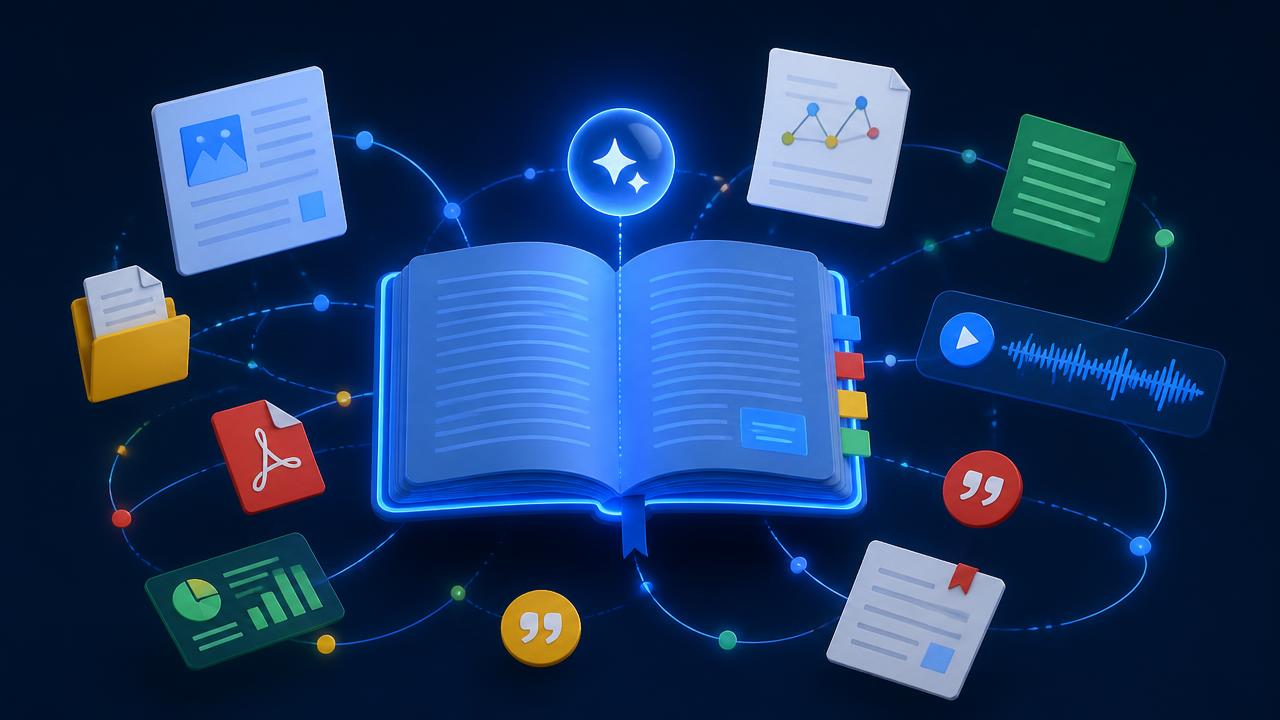
Most AI assistants answer from everything they have ever read. Google NotebookLM answers only from what you give it — and that single design decision changes how the tool feels the moment you start using it seriously. Upload a stack of PDFs, a messy folder of meeting notes, three research papers and a two-hour YouTube lecture, and you get an assistant that argues from your material, cites the exact paragraph it used, and says nothing when your sources are silent.
That constraint is why NotebookLM has quietly become the default research surface for students, analysts, consultants, lawyers and product teams in 2026 while flashier chatbots dominate the headlines. This guide covers what NotebookLM actually is, how the grounding works, the workflows that pay off fastest, where it falls short, how it compares to general chatbots, and how to decide whether it belongs in your stack.
What is Google NotebookLM?
NotebookLM is Google's source-grounded AI research and note-taking workspace. You create a notebook, add sources to it, and then chat with those sources. Every notebook is an isolated knowledge base: the model reads your uploads at query time and produces answers with inline citations that jump straight back to the sentence in the original document.
Google originally launched it as an experiment under the name Project Tailwind. By 2026 it has grown into a full product with mobile apps, team sharing, larger source limits, and a generation layer that turns any notebook into study guides, briefing docs, timelines, FAQs, mind maps and audio discussions. The core promise has not changed: the notebook is the context, and the context is yours.
What counts as a source
You can add PDFs, Google Docs and Slides, Markdown and plain text files, pasted text, public web pages, and YouTube videos (NotebookLM ingests the transcript). Audio files can be uploaded and transcribed. A single notebook holds hundreds of sources on paid tiers, which is enough for an entire literature review, a full product spec archive, or a semester of lecture material.
How the grounding actually works
Under the hood NotebookLM uses retrieval-augmented generation on a Gemini model. When you ask a question, the system retrieves the passages most relevant to it from your notebook, hands only those passages to the model, and instructs it to answer from that evidence. If the evidence is thin, the answer says so instead of inventing a plausible one.
This is the practical difference people notice first. Ask a general chatbot for the penalty clause in a 90-page supplier contract and it will happily paraphrase a clause that does not exist. Ask NotebookLM AI the same question with the contract uploaded and you get either the clause with a citation you can click, or a clear statement that the document does not cover it.
Why source-grounded AI matters in 2026
Two years of production AI use taught most teams the same lesson: the expensive failures are not the answers that are obviously wrong, they are the answers that are confidently, subtly wrong. A fabricated statistic in a board deck, a misattributed quote in a research summary, a made-up case citation in a legal memo. Every one of those costs more to fix than the time the AI saved.
Grounded tools trade breadth for verifiability. NotebookLM will not brainstorm the market landscape for you the way a general assistant will, but when it tells you something, you can check it in two clicks. For any work that ends up in front of a client, a professor, a regulator or a customer, that trade is usually worth making — a point we also make in our framework for choosing the right AI tool for your business.
Key features of NotebookLM, explained
Grounded chat with inline citations
The main interface. Ask a question, get an answer with numbered citations. Clicking a citation opens the source panel at the exact passage. In practice you stop reading the answer as prose and start using it as an index into your own documents — which is a faster way to work with dense material than either reading linearly or keyword searching.
Audio Overview
NotebookLM's most-shared feature turns a notebook into a two-host conversation about your material, roughly 8–20 minutes long, with a natural back-and-forth that summarises, questions and connects your sources. In 2026 you can steer it: give it a focus prompt ("concentrate on the methodology and its weaknesses"), pick a length, choose from multiple languages, and interrupt the hosts to ask a live question.
It is genuinely useful, not just a novelty. Reviewing a dense report on a commute, onboarding onto an unfamiliar codebase's documentation, or getting a second pass over material you have already read — these are all cases where hearing the argument beats re-reading it.
Video Overview and Mind Maps
Video Overview generates narrated visual explainers from your sources — slides with commentary rather than a talking head. Mind Maps render the concept structure of a notebook as an expandable tree, and clicking any node fires a scoped question at that sub-topic. Both are strongest for teaching, onboarding and getting oriented in an unfamiliar field.
Notebook Guides and generated artefacts
One click produces a study guide with questions and answers, a briefing document, a timeline of events with dates pulled from sources, or an FAQ. These are drafts, not finished deliverables, but they collapse the blank-page problem for anyone who has to summarise material for someone else.
Notes and sharing
Saved answers become notes inside the notebook, and notes can themselves become sources — so you can distil a hundred documents into ten notes and then reason over the notes. Sharing a notebook gives teammates the same grounded assistant over the same evidence, which is the closest thing most teams have to a queryable internal wiki without building one.
Real use cases that work today
Academic research and literature reviews
Load 30–40 papers, then ask cross-cutting questions: which studies used a control group, where the sample sizes diverge, which conclusions contradict each other. NotebookLM will not write your review, but it will surface the disagreements between papers in minutes instead of a weekend, with citations you can verify before writing.
Students and exam preparation
Upload lecture slides, your own notes and the recommended readings. Generate a study guide, quiz yourself against it, then use Audio Overview as a revision pass while walking. The grounding matters here: a general chatbot revises the textbook it was trained on, NotebookLM revises the syllabus you were actually taught.
Legal, policy and compliance review
Contracts, policy documents and regulatory guidance are exactly the material where hallucination is unacceptable and where the answer usually already exists somewhere in the file. Ask what the termination terms are across five supplier contracts and get five cited answers side by side.
Product and engineering documentation
Point a notebook at your specs, RFCs, incident postmortems and API docs. New engineers ask the notebook instead of interrupting a senior; the answer arrives with a link to the doc it came from, so the doc stays the source of truth instead of being replaced by tribal knowledge.
Consulting, sales and client research
Drop in a prospect's annual report, earnings call transcript, press coverage and your own call notes. Ask for the three strategic priorities the client keeps repeating and where your offering maps to them. It is a briefing that used to take an afternoon.
Journalism and investigations
Long document dumps, FOI releases and interview transcripts are where the citation trail earns its keep. Every claim you publish traces back to a specific line in a specific file.
NotebookLM vs ChatGPT, Claude and Perplexity
These tools overlap less than the marketing suggests. The honest framing: NotebookLM is a research notebook, ChatGPT and Claude are general assistants, Perplexity is an answer engine over the live web.
| Capability | NotebookLM | ChatGPT | Claude | Perplexity |
|---|---|---|---|---|
| Primary job | Reason over your own documents | General assistance and creation | Long-document reasoning and writing | Answer questions from the live web |
| Answer source | Only your uploaded sources | Training data + tools + uploads | Training data + uploads | Live web pages |
| Citations | Inline, to your exact passage | Only when browsing | Limited | Inline, to web sources |
| Hallucination risk on your data | Very low | Moderate | Low–moderate | Low for web claims |
| Audio/video output | Audio and Video Overviews | Voice mode | No | No |
| Best for | Literature reviews, contracts, study, internal docs | Drafting, coding, brainstorming | Long-form writing, big context analysis | Current events, market scans |
| Free tier | Generous | Yes | Yes | Yes |
The practical answer for most people is not either/or. You use a general assistant to think and draft, an answer engine to scan what is happening now, and NotebookLM when the evidence has to be yours and checkable. If you are still comparing general assistants, our guide to the best ChatGPT alternatives in 2026 covers that side of the decision, and the AI research tools category lists the rest of the field.
Pricing and limits in 2026
NotebookLM's free tier is unusually generous for a Google product, which is why it spread through universities before it reached enterprises. The paid tier arrives bundled with Google AI Pro rather than as a standalone subscription.
| Plan | Cost | Roughly what you get |
|---|---|---|
| Free | $0 | Substantial daily chat queries, up to 100 notebooks, 50 sources per notebook, several Audio Overviews per day |
| NotebookLM Pro (via Google AI Pro) | ~$19.99/month | ~5x higher limits, up to 300 sources per notebook, more Audio and Video Overviews, chat customisation, sharing controls, usage analytics |
| Workspace / Enterprise | Per-seat, via Google Workspace | Pro features plus admin controls, enterprise data protection and compliance coverage |
Limits shift as Google tunes capacity, so treat the numbers as the shape of the offer rather than a contract. The important part for budgeting: the free tier is enough to evaluate NotebookLM properly on real work before anyone spends anything — the same principle behind our roundup of the best free AI tools in 2026.
Privacy: what Google does with your uploads
Google states that files uploaded to NotebookLM are not used to train its models, and that Workspace and Pro accounts carry the same enterprise data protections as other Google Cloud services. Human review can occur for a small sample of conversations flagged for abuse or quality on consumer accounts, which is why Google's own guidance is not to upload sensitive personal or confidential material on a personal free account.
The pragmatic policy most teams land on: personal free accounts for public and low-sensitivity material, Workspace accounts under an existing data processing agreement for anything client-confidential or regulated. If you handle health, financial or legal personal data, route the decision through whoever owns your DPA before the first upload.
Limitations you should know before committing
NotebookLM is deliberately narrow, and the narrowness shows up as friction in a few places.
- It will not go beyond your sources. Ask for market context you did not upload and it declines. That is the feature working as intended, but it means you need a second tool for open-ended thinking.
- Source quality is the ceiling. Upload a badly scanned PDF or a video with a poor auto-transcript and the answers inherit those errors. Garbage in, cited garbage out.
- No live web crawling. Web pages are captured when you add them; they do not refresh on their own. For anything time-sensitive you re-add the source.
- Formatting and export are basic. You copy answers out rather than publishing from inside NotebookLM. There is no rich document editor.
- No deep third-party integrations. It lives inside Google's ecosystem; there is no first-party Notion, Slack or CRM sync in the way automation platforms offer.
- Very large notebooks get slower. Retrieval quality holds up well, but response latency climbs once a notebook runs into the hundreds of dense sources. Splitting by project beats one giant notebook.
How to get results from NotebookLM faster
A few habits separate people who find it transformative from people who bounce off it after a week.
Curate the notebook like a bibliography, not a downloads folder. Ten relevant sources outperform fifty loosely related ones, because retrieval has less noise to cut through. One notebook per project or question, always.
Ask questions that span sources. "Summarise this document" is a weak use of a grounded tool. "Where do these four reports disagree about adoption rates, and which one has the strongest methodology?" is what NotebookLM does better than anything else.
Verify at least one citation per session. Grounding lowers hallucination risk dramatically; it does not eliminate misreading. Clicking through one or two citations keeps you calibrated on how much to trust the rest.
Turn good answers into notes, then into sources. Distilling a large notebook into a handful of saved notes and re-reasoning over those notes is the closest thing NotebookLM has to a power-user move.
Use Audio Overview as a second pass, not a first pass. It is excellent for consolidating material you have skimmed and unreliable as your only exposure to something you need to know precisely.
Steer the audio. The focus prompt is the difference between a pleasant generic summary and a targeted 12-minute briefing on exactly the sub-question you care about.
Who should use NotebookLM — and who should not
Use it if your work involves reading a lot of documents and being accountable for what you say about them: researchers, graduate students, analysts, consultants, lawyers, journalists, technical writers, product managers and anyone maintaining internal documentation.
Skip it if your main need is open-ended ideation, code generation, image or video creation, live market monitoring, or automating multi-step processes across apps. Those are different categories with better fits, from the AI writing tools and AI coding assistants to the AI automation platforms covered elsewhere on ToolVerse AI.
Related reads
Continue with: how to choose the right AI tool for your business · the best free AI tools in 2026 · ChatGPT alternatives worth switching to · or the full NotebookLM tool profile with pricing, pros, cons and alternatives.
Google NotebookLM is not trying to be the smartest AI you use. It is trying to be the one you can trust with the documents that matter, and in 2026 it does that better than any general assistant. If your work lives in PDFs, transcripts and reports, spend an afternoon loading a real project into a notebook and asking it the questions you would normally answer by reading for three hours. The free tier is enough to know within a week whether it belongs in your permanent stack — and for most people who read for a living, it does.
Sam Okafor is a senior ai writer at ToolVerse AI, covering AI tools and the future of software. Sam has been writing about AI since 2022 and personally tests every tool covered in this guide.
- Hands-on AI tester
- Covers AI since 2022
- ToolVerse AI editorial team
Frequently asked questions
Our verdict on this research guide
The ToolVerse AI editorial team evaluated every tool and claim in "Google NotebookLM in 2026: The Complete Guide to Google's AI Research Notebook" against five criteria, with hands-on testing, source-checking and a quarterly accuracy review.
- Ease of useOnboarding flow, UX clarity and time-to-first-value.4.9
- Features & depthBreadth of capabilities vs. category benchmarks.5.0
- Pricing valueFree-tier generosity and price-to-output ratio.4.8
- PerformanceSpeed, reliability and output quality in real tests.4.3
- Support & docsHelp center, response times and community resources.4.5
How we evaluate AI tools
Every product on ToolVerse AI is independently tested by our editors. We sign up, complete the same real-world tasks across each tool in a category, document the experience, and compare against direct competitors. We don't accept payment for rankings, and affiliate relationships never influence editorial scores. Scores are reviewed quarterly to reflect new features, pricing changes and user feedback.
Related articles

Best AI Search Monitoring Tools in 2026 (Trackers for ChatGPT & AI Overviews)
Compare AI search monitoring tools and trackers for ChatGPT, Perplexity and Google AI Overviews. See Otterly, Peec, Profound, Scrunch and Semrush pricing bands, plus a free starting point before you pay.

AI Tool Evaluation Scorecard: How to Choose the Right AI Tool for Your Business (With a Free Template)
Skip the feature checklist. A six-line AI tool evaluation scorecard, a ten-task blind test and a 30-day pilot plan will tell you which tool to buy, with a worked example you can copy.

50+ Best Free AI Tools in 2026 (Every Category, Tested)
Free AI tools now cover almost every category of knowledge work — chat, writing, image generation, video editing, voice, research, coding and data analysis. The question in 2026 isn't whether a free option exists anymore. It's which one actually fits the job. Here's the full breakdown, category by category.

Best ChatGPT Alternatives in 2026: When to Actually Switch
Every tracking firm measures ChatGPT's market share differently in 2026 — estimates range from roughly 53% to 68%, down from over 85% a year earlier. Whatever the exact number, the direction is the same: real competitors have carved out genuine advantages. Here's when each one actually beats ChatGPT at its own game.