
Best AI Video Editors in 2026: Descript vs CapCut vs Runway
We timed the same raw footage through three different AI video editors. Descript finished a full podcast-to-clips workflow in 28 minutes. CapCut was faster for vertical social cuts. Here's which one actually matches how you edit, not just which has the longest feature list.
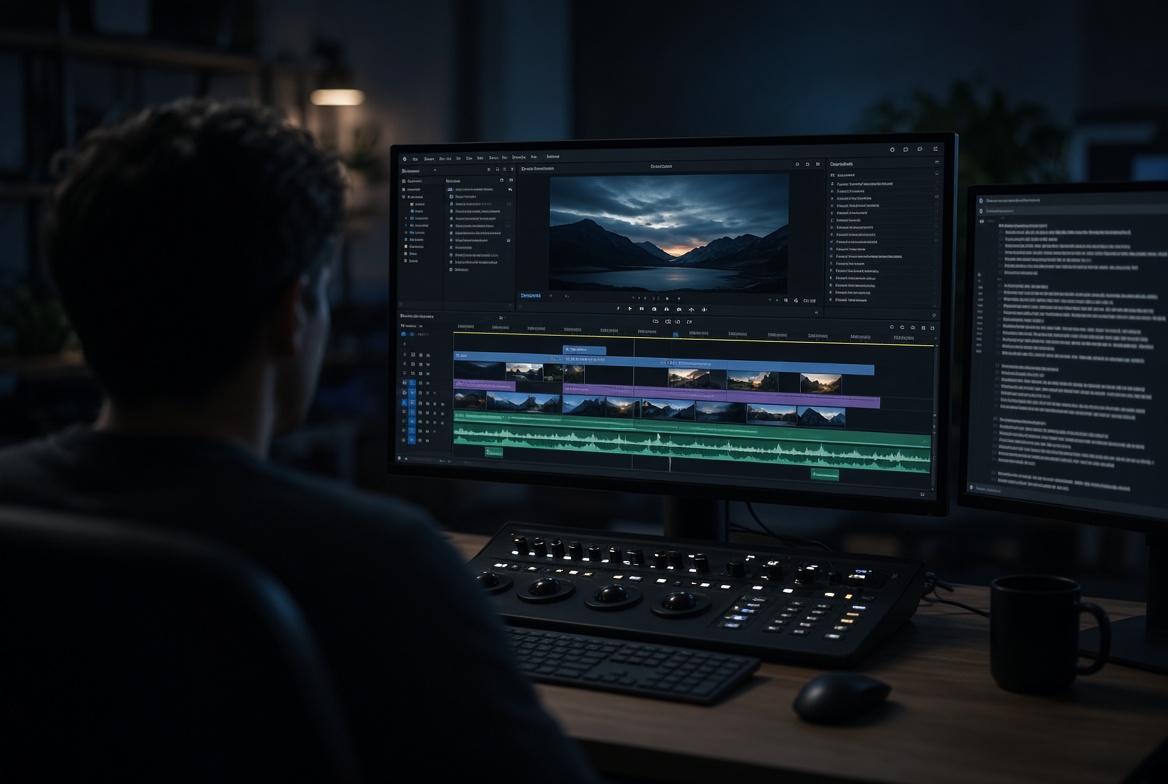
"AI video editor" stopped meaning one thing sometime in 2025. It now covers two genuinely different categories that just happen to share a marketing label: tools that bolted AI features onto an existing editing workflow, and tools built from the ground up around AI as the actual interface. Both call themselves AI video editors. They solve different problems, and picking based on feature-list length instead of which category actually matches your footage is the most common mistake in this comparison.
One tester's timed 2026 comparison put a number on this that's worth anchoring to: running the same raw footage through a full long-form edit, shorts extraction, caption pass and audio cleanup, Descript finished the complete workflow in 28 minutes end to end — faster than the other tools tested for that specific, full pipeline. But that same comparison and multiple others converge on the same real caveat: which tool wins depends entirely on where your footage starts and what you're actually trying to get to.
Descript: edit the transcript, and the video follows
Descript's core idea hasn't changed since it launched, and it's still the most genuinely different editing paradigm on this list: it transcribes your recording, and you edit the actual video or audio by deleting, rearranging or retyping the text — cut a sentence from the transcript, and the corresponding clip disappears from the timeline automatically. For anyone editing spoken content specifically — podcasts, interviews, talking-head YouTube videos, screen recordings — this eliminates the entire manual process of scrubbing through footage to find and cut a specific moment.
Multiple independent 2026 comparisons converge on the same conclusion: Descript is the strongest choice for transcript-centric, voice-heavy content, and noticeably less suited to template-first, short-form social creation as a primary workflow. The learning curve is real but short — one tester put it at "give yourself an hour to adapt, then it feels stupidly easy." Studio Sound (its audio-cleanup feature) and Underlord (its AI assistant for filler-word removal and clip generation) round out a tool built specifically around the assumption that your source material is someone talking.
CapCut: built for vertical, fast, and social from the start
CapCut remains the default for short-form social content for a specific reason every comparison agrees on: strong timeline control, genuinely deep template libraries, and a mobile-first workflow that a tool like Descript or a timeline editor doesn't prioritize. One 2026 tester's verdict was blunt: "CapCut is built for fast vertical edits. Templates make everything move quick. The UI is beginner-proof... you'll be dangerous in 10 minutes."
The honest limitation, and it's consistent across comparisons: if your workflow starts from a blank page — an idea that needs to become a full short-form draft — CapCut generally expects more manual assembly than a generation-first tool. It's an editor, not a scriptwriter or a producer. For someone who already has footage or a clear plan and needs to cut it into something publishable fast, that's exactly the right trade-off; for someone starting from nothing, it's more assembly than a true AI-generation tool.
Runway: when the footage doesn't exist yet
Runway sits in a different category from the two above entirely — rather than editing existing footage, its core strength is generating video that didn't exist before, from a text prompt or reference image. Multiple 2026 comparisons place it specifically as the tool "for creating video from text descriptions," useful for B-roll, concept visualization, or filling a gap in a project where filming the real thing isn't practical or affordable. It's not really competing with Descript or CapCut on editing existing footage — it's solving the upstream problem of not having footage to edit in the first place.
Why creators increasingly use two of these together, not one
A recurring, practical pattern across 2026 comparisons: many editors use Descript for the rough cut and cleanup on spoken content, then move the result into CapCut for social-optimized formatting, captions and effects before export. That's not a compromise — it's using each tool for the specific stage of the pipeline it was actually built for, rather than forcing one tool to do a job it wasn't designed around.
Matching the tool to your actual footage
| Your starting point | Best fit | Why |
|---|---|---|
| A recorded conversation, podcast, or talking-head video | Descript | Transcript-based editing eliminates manual scrubbing |
| Footage that needs fast vertical formatting for social | CapCut | Templates and mobile-first speed, minutes not hours |
| No footage yet — need generated visuals or B-roll | Runway | Text-to-video and image-to-video generation |
| A long recording that needs both a rough cut and social clips | Descript, then CapCut | Rough cut and cleanup, then social formatting |
What AI still doesn't do for you in any of these
Every comparison reviewed for this piece lands on the same honest boundary, worth stating directly: AI handles the mechanical, repetitive work well — captions, rough cuts, format conversion, filler-word removal. It does not make the creative decisions that actually separate a good edit from a technically correct one: pacing, narrative timing, which moment in a long interview is actually the compelling one. The best 2026 workflow, per multiple independent testers, treats AI as the tool that clears the mechanical grunt work off your desk, freeing up your actual editing time for the decisions that require a human sense of story.
For the voiceover and narration layer that often pairs with these editing tools, our comparison of AI voice generators covers the tools worth adding if your project needs narration beyond what you recorded yourself.
Final thoughts
The "best" AI video editor question only has a real answer once you know what your footage actually is and where it's going. Descript wins decisively for anything built around someone talking. CapCut wins for fast, template-driven vertical content. Runway solves a different problem entirely — generating what you don't have rather than editing what you do. Pick based on your actual starting material, not a feature checklist, and don't be surprised if the right answer for your workflow turns out to be two of these tools in sequence rather than one.
Alex Rivera is a ai editor at ToolVerse AI, covering AI tools and the future of software. Alex has been writing about AI since 2022 and personally tests every tool covered in this guide.
- Hands-on AI tester
- Covers AI since 2022
- ToolVerse AI editorial team
Frequently asked questions
Our verdict on this video guide
The ToolVerse AI editorial team evaluated every tool and claim in "Best AI Video Editors in 2026: Descript vs CapCut vs Runway" against five criteria, with hands-on testing, source-checking and a quarterly accuracy review.
- Ease of useOnboarding flow, UX clarity and time-to-first-value.5.0
- Features & depthBreadth of capabilities vs. category benchmarks.4.4
- Pricing valueFree-tier generosity and price-to-output ratio.4.2
- PerformanceSpeed, reliability and output quality in real tests.4.7
- Support & docsHelp center, response times and community resources.4.7
How we evaluate AI tools
Every product on ToolVerse AI is independently tested by our editors. We sign up, complete the same real-world tasks across each tool in a category, document the experience, and compare against direct competitors. We don't accept payment for rankings, and affiliate relationships never influence editorial scores. Scores are reviewed quarterly to reflect new features, pricing changes and user feedback.
Related articles
10 Free AI Tools for YouTube Shorts in 2026
Make polished YouTube Shorts without a camera, a mic, or an editing background — using free AI tools for scripts, voiceovers, B-roll, and editing. Includes what YouTube's 2025 policy change means for your channel.
Best AI Voice Generators Online in 2026
AI voices can now fool most humans with 3 seconds of sample audio — which makes choosing a responsible tool, not just a good-sounding one, part of the decision. Here's what to actually pick in 2026.
10 AI Tools Every Content Creator Needs in 2026
91% of creators now use AI in their production process — but the ones actually growing aren't the ones using the most tools. Here's the AI content creation stack that holds up in 2026, and the trap most solo creators fall into.