
Google Flow AI Complete Guide 2026: AI Video Generation, Features, Pricing and Real Results
A practical guide to AI video creation in 2026. Learn how modern text-to-video and image-to-video tools work, explore Google Flow features, pricing, controls, results, limitations and whether it is the right AI video generator for creators.
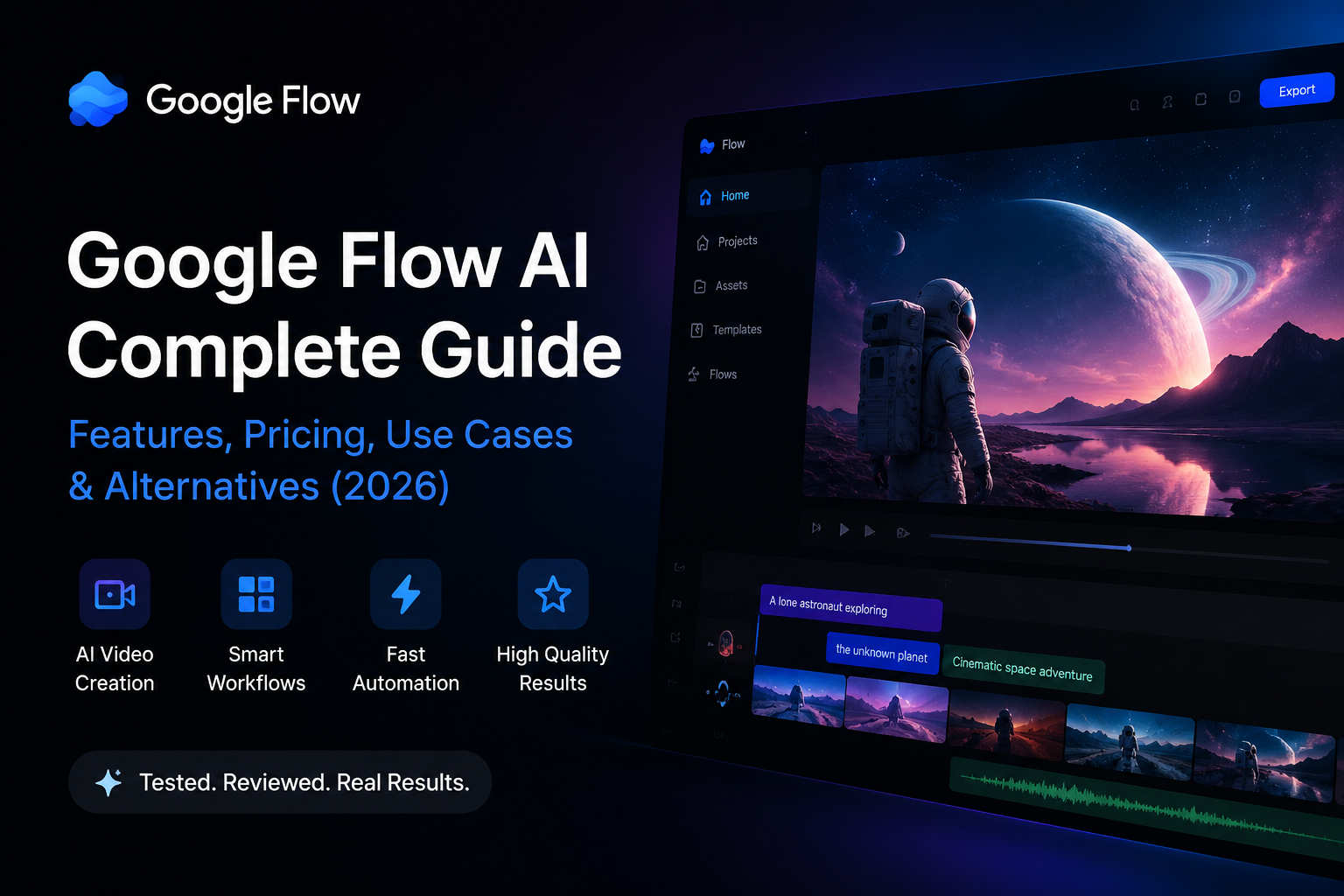
AI video generation has moved from impressive experiments to practical creative workflows. A few years ago, creating realistic AI videos required technical skills, expensive software and hours of editing. In 2026, creators can describe an idea, provide an image or reference, and generate professional-looking scenes in minutes.
The challenge is no longer finding an AI video generator. The challenge is choosing a platform that gives enough control, realistic results and a workflow that fits real projects. This is where tools like Google Flow are becoming interesting for creators, filmmakers, marketers and businesses exploring AI-powered production.
What is AI video generation?
AI video generation uses artificial intelligence models to transform text descriptions, images or creative ideas into moving visual content. Unlike traditional editing tools, these systems can understand scenes, camera movements, lighting and visual styles before generating a final result.
The most useful AI video workflows today combine three elements: a strong creative idea, precise control over the generation process and the ability to refine results quickly.
Google Flow AI: a new approach to creative video workflows
Google Flow is designed around the idea that AI video creation should feel closer to a creative studio than a simple prompt box. Instead of only generating a clip, it focuses on giving creators tools to control scenes, images, formats and visual direction.
When testing AI creative platforms, one of the first things that matters is the user experience. A powerful model is not enough if creators cannot easily understand the workflow.
The first impression of Google Flow is its clean interface and straightforward creative environment.
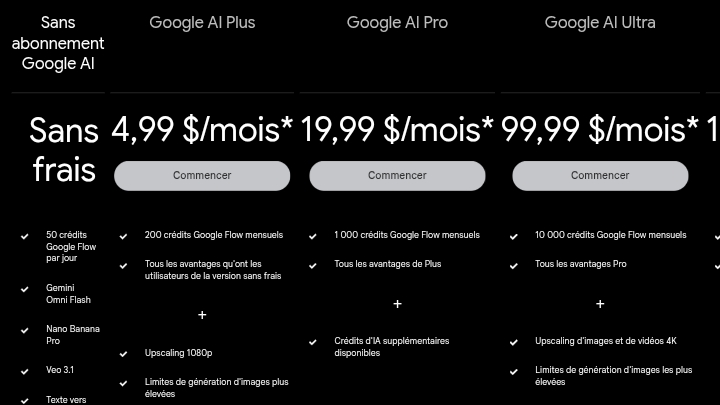
The platform approach makes it easier for creators to move from an idea to a generated scene without dealing with complicated production settings. Pricing options also make experimentation accessible for users who want to test AI video creation before committing to larger workflows.
Creating videos with more control
One of the biggest differences between basic AI video generators and advanced creative platforms is control. Professional creators usually need more than a simple prompt. They need control over dimensions, formats, image references and the final visual direction.
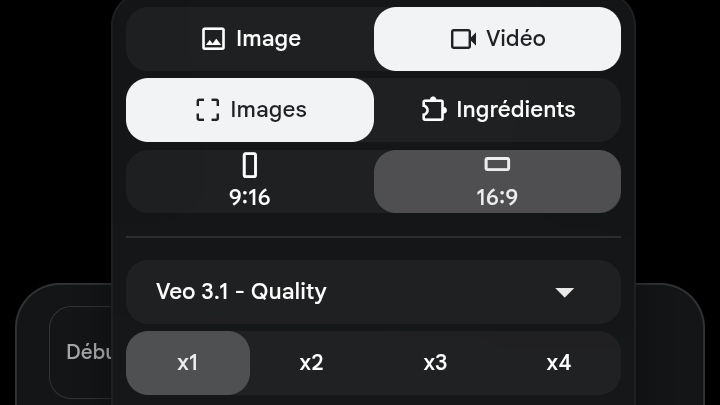
Control over formats is especially important because different platforms require different outputs. A short social media video, a YouTube scene and a marketing advertisement all need different approaches.
Real results: quality, speed and consistency
The biggest question with any AI video tool is simple: do the results actually look professional?
Modern AI models have improved dramatically, but quality depends on many factors including the prompt, reference images and the complexity of the scene.
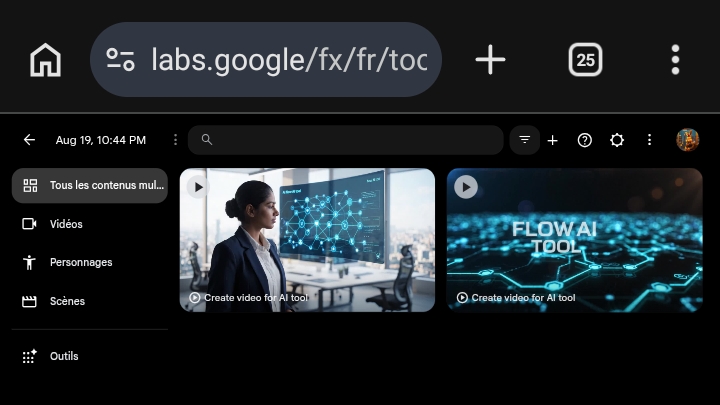
For creators, the main advantage is speed. Ideas that previously required filming, editing and multiple production steps can now be explored much faster. AI does not replace creativity, but it reduces the time between an idea and a visual prototype.
Who should use AI video generators?
AI video tools are becoming useful for many types of users:
- Content creators creating YouTube videos, Shorts and social media content.
- Marketers producing advertising concepts and product videos.
- Designers creating visual prototypes before production.
- Businesses creating training videos and promotional material.
For professional production, AI works best as a creative assistant that accelerates the workflow rather than completely replacing human decisions.
Google Flow alternatives
The AI video market is growing quickly. Different tools focus on different strengths. Some prioritize cinematic quality, others focus on speed, automation or social media content.
Before choosing a platform, compare important factors such as output quality, pricing, creative control, generation speed and commercial usage rights.
You can explore more AI creative platforms in our complete AI tools directory and compare alternatives based on your workflow.
Limitations to consider
Despite major improvements, AI video generation still has limitations. Complex scenes can sometimes contain inconsistencies, characters may change between frames and achieving a specific artistic vision may require multiple attempts.
The best results usually come from users who understand how to write detailed prompts and refine generations step by step.
Final thoughts
AI video generation is becoming one of the fastest-growing areas in artificial intelligence. Platforms like Google Flow show how creative workflows are changing from traditional editing toward AI-assisted production.
If you want to explore Google Flow features, pricing, alternatives and detailed information, check our complete Google Flow AI tool profile.
The future of video creation will not be humans versus AI. The strongest creators will be those who combine human ideas with powerful AI tools to create faster and better content.
Jordan Patel is a tech analyst at ToolVerse AI, covering AI tools and the future of software. Jordan has been writing about AI since 2022 and personally tests every tool covered in this guide.
- Hands-on AI tester
- Covers AI since 2022
- ToolVerse AI editorial team
Frequently asked questions
Our verdict on this guides guide
The ToolVerse AI editorial team evaluated every tool and claim in "Google Flow AI Complete Guide 2026: AI Video Generation, Features, Pricing and Real Results" against five criteria, with hands-on testing, source-checking and a quarterly accuracy review.
- Ease of useOnboarding flow, UX clarity and time-to-first-value.4.4
- Features & depthBreadth of capabilities vs. category benchmarks.4.6
- Pricing valueFree-tier generosity and price-to-output ratio.4.7
- PerformanceSpeed, reliability and output quality in real tests.4.3
- Support & docsHelp center, response times and community resources.4.3
How we evaluate AI tools
Every product on ToolVerse AI is independently tested by our editors. We sign up, complete the same real-world tasks across each tool in a category, document the experience, and compare against direct competitors. We don't accept payment for rankings, and affiliate relationships never influence editorial scores. Scores are reviewed quarterly to reflect new features, pricing changes and user feedback.
Related articles
50+ Best Free AI Tools in 2026 (Every Category, Tested)
Free AI tools now cover almost every category of knowledge work — chat, writing, image generation, video editing, voice, research, coding and data analysis. The question in 2026 isn't whether a free option exists anymore. It's which one actually fits the job. Here's the full breakdown, category by category.
AI Tools for Developers in 2026: The Productivity Paradox
84% of developers now use AI coding tools. Developer trust in the output fell to 29%, down from 40% a year earlier. And a controlled study found AI made experienced developers 19% slower — while they perceived themselves as 20% faster. Here's what's actually happening underneath the adoption numbers.
Google NotebookLM in 2026: The Complete Guide to Google's AI Research Notebook
A hands-on guide to Google NotebookLM in 2026 — how source-grounded AI works, Audio Overviews, real research and study workflows, pricing, limits, privacy, and how it compares to ChatGPT, Claude and Perplexity.