
Best AI Tools for Data Analysis in 2026
Discover the best AI tools for data analysis in 2026. We compare Julius AI, Formula Bot, and ThoughtSpot for spreadsheets, visualization, insights, and business analytics.

Finding useful insights in a spreadsheet should not require hours of formulas, filters, and manual checks. In 2026, AI data analysis tools can handle much of that work through natural-language questions, automated charts, summaries, and statistical analysis.
We looked at three tools that take different approaches to AI-powered data analysis: Julius AI, Formula Bot, and ThoughtSpot. The right choice depends less on which tool has the longest feature list and more on the kind of data work you actually do.
The best AI data analysis tools at a glance
If you want a quick answer, these are the three tools worth considering:
Julius AI — Best for conversational data analysis, exploration, charts, and statistical work.
Formula Bot — Best for spreadsheet analysis, formulas, charts, dashboards, and quick answers from business data.
ThoughtSpot — Best for business intelligence teams that need interactive analytics and answers across larger company data environments.
If you are still building your overall AI toolkit, our best AI tools of 2026 guide is a useful place to start.
1. Julius AI
Julius AI is the most natural fit if you want to talk to your data instead of manually building every analysis.
You can upload a spreadsheet or another supported data source and ask questions in plain English. Julius can analyze the data, create visualizations, explain patterns, and help with tasks such as cleaning, statistical analysis, and modeling.
That makes it particularly useful for people who understand the business question they want to answer but do not want to spend their time writing Python, R, or complex spreadsheet formulas.
For example, instead of manually building a pivot table, you could ask:
"Which product category generated the highest revenue each month?"
Julius can then analyze the dataset and present the result visually.
According to Julius, the platform can work with sources including spreadsheets, Google Drive, BigQuery, Snowflake, PostgreSQL, and other data sources. It also provides the underlying code for analyses, which is useful when you want to understand how an answer was produced.
You can learn more on the official Julius AI data analysis page.
Julius AI in action
The video below is from Julius AI and provides a practical look at how the platform can be used for data analysis. We recommend watching it as a visual introduction, then trying your own dataset rather than treating the video as a substitute for hands-on testing.
{{youtube:https://www.youtube.com/embed/ir8qShUBCco}}
Why we like Julius for data analysis
The biggest advantage is the conversational workflow. You can start with a simple question and continue asking follow-up questions as you discover something interesting.
It is also useful when the analysis goes beyond basic spreadsheet calculations. Julius can help with visualizations, descriptive statistics, statistical tests, data cleaning, and more advanced analysis.
For someone who regularly moves between Excel files, datasets, charts, and exploratory analysis, that flexibility can save a significant amount of manual work.
The important caveat is simple: AI-generated analysis still needs human review. If the result affects revenue, financial reporting, or an important business decision, check the underlying data and methodology before acting on it.
2. Formula Bot
Formula Bot takes a slightly different approach. It combines AI data analysis with spreadsheet and business-data workflows.
You can upload Excel or CSV files, connect data sources, ask questions in natural language, generate charts, and create formulas without having to remember complicated spreadsheet syntax.
That makes Formula Bot particularly interesting for people who spend most of their working day inside spreadsheets.
It can also go beyond formula generation. Its current platform includes data analysis, visualizations, dashboards, reports, PDF-to-Excel conversion, data enrichment, and automated tasks.
You can explore the official Formula Bot platform to see the current feature set.
Formula Bot for everyday spreadsheet work
Imagine receiving a large sales spreadsheet and needing to answer three questions: which products are performing best, where sales dropped, and what the monthly trend looks like.
Instead of building every calculation manually, you can upload the file and ask the questions directly.
That is where Formula Bot makes sense. It is less about replacing Excel and more about adding an AI layer on top of spreadsheet and data workflows.
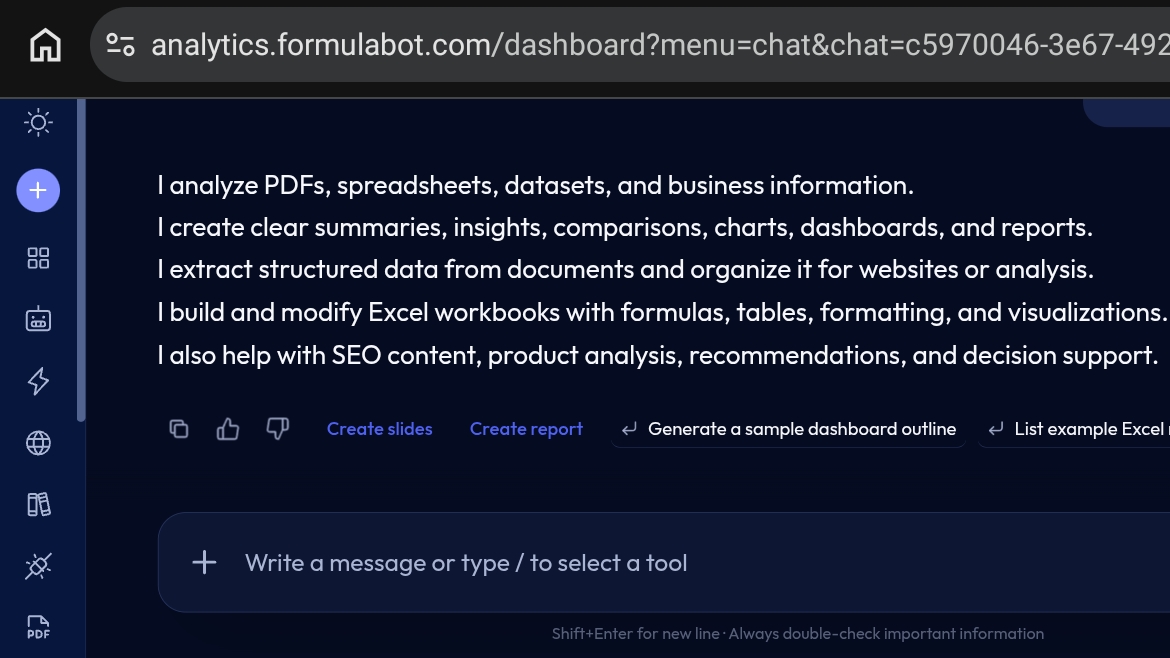
For quick spreadsheet analysis, formula generation, and visual reporting, this approach can be much easier than starting every analysis from an empty workbook.
Formula Bot also provides official documentation covering AI chat, data connectors, chart creation, and automation.
3. ThoughtSpot
ThoughtSpot is the enterprise-oriented option in this comparison.
Rather than focusing primarily on individual spreadsheet users, ThoughtSpot is designed around business intelligence, governed company data, interactive analytics, and self-service exploration.
Its search-based approach lets users ask business questions about company data and explore the answers without relying entirely on a data analyst to build a new dashboard for every question.
ThoughtSpot also offers AI-powered analytics through its Spotter platform and supports more advanced analytics workflows for data teams.
You can learn more from the official ThoughtSpot analytics platform.
ThoughtSpot for business intelligence
ThoughtSpot becomes more interesting when the problem is not one spreadsheet but a larger analytics environment.
A sales leader might want to ask which regions are growing fastest. A finance team might want to investigate a change in revenue. A product team might want to explore customer behavior.
Instead of waiting for a new report to be created, users can interact with the data directly.
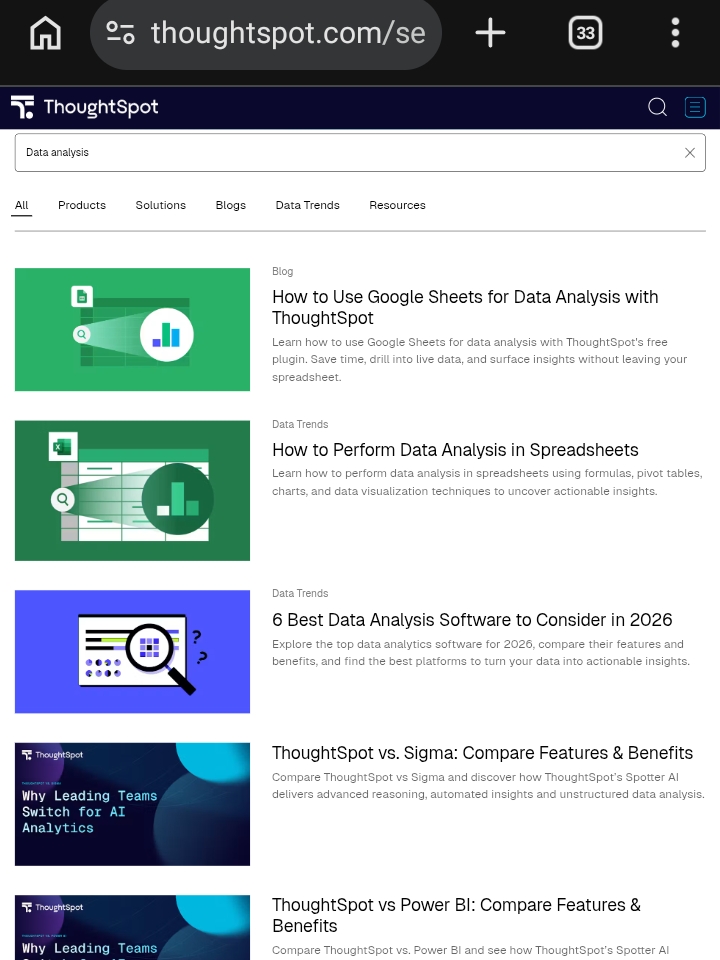
This makes ThoughtSpot a stronger candidate for organizations that already have structured data infrastructure and need a scalable business intelligence experience rather than a simple spreadsheet assistant.
Julius AI vs Formula Bot vs ThoughtSpot
These tools overlap, but they are not identical.
| Tool | Best for | Main strength |
|---|---|---|
| Julius AI | Analysts, researchers, creators | Conversational analysis and advanced insights |
| Formula Bot | Spreadsheet users and business teams | Excel/CSV analysis, formulas, charts and reports |
| ThoughtSpot | Larger organizations | Business intelligence and self-service analytics |
For a freelancer or individual working with spreadsheets, starting with Julius or Formula Bot is usually more practical.
For an organization with a mature data stack and multiple teams consuming business intelligence, ThoughtSpot is the more natural fit.
Which AI data analysis tool should you choose?
Choose Julius AI if you want to ask questions about your data, explore datasets conversationally, generate visualizations, and perform more advanced analysis.
Choose Formula Bot if most of your work revolves around Excel, CSV files, formulas, charts, dashboards, and quick business reports.
Choose ThoughtSpot if you are working with company-wide business intelligence and need self-service analytics across a larger data environment.
You do not need to adopt all three. Start with the tool that matches the biggest problem in your current workflow and test it with a real dataset.
A final word about AI-generated data analysis
AI can make data analysis dramatically faster, but faster does not automatically mean correct.
Before using an AI-generated result for an important decision, verify the original data, check the calculations, and make sure the question was interpreted correctly. Avoid uploading sensitive business information to services without first understanding their privacy and security policies.
The best use of an AI data analysis tool is as a capable assistant: let it handle repetitive work, explore patterns, create visualizations, and suggest explanations, while you remain responsible for the final decision.
If you want to expand your workflow beyond analytics, explore our AI productivity tools guide for 2026 and the full AI tools directory.
Alex Rivera is a ai editor at ToolVerse AI, covering AI tools and the future of software. Alex has been writing about AI since 2022 and personally tests every tool covered in this guide.
- Hands-on AI tester
- Covers AI since 2022
- ToolVerse AI editorial team
Frequently asked questions
Our verdict on this data guide
The ToolVerse AI editorial team evaluated every tool and claim in "Best AI Tools for Data Analysis in 2026" against five criteria, with hands-on testing, source-checking and a quarterly accuracy review.
- Ease of useOnboarding flow, UX clarity and time-to-first-value.5.0
- Features & depthBreadth of capabilities vs. category benchmarks.4.9
- Pricing valueFree-tier generosity and price-to-output ratio.4.3
- PerformanceSpeed, reliability and output quality in real tests.4.3
- Support & docsHelp center, response times and community resources.4.7
How we evaluate AI tools
Every product on ToolVerse AI is independently tested by our editors. We sign up, complete the same real-world tasks across each tool in a category, document the experience, and compare against direct competitors. We don't accept payment for rankings, and affiliate relationships never influence editorial scores. Scores are reviewed quarterly to reflect new features, pricing changes and user feedback.
Related articles

The 15 Best AI Tools You Should Be Using in 2026
From ChatGPT to Midjourney — here are the AI tools that are actually changing how professionals work in 2026, tested and ranked by the ToolVerse team, with real pricing and honest trade-offs.

15 AI Tools for Productivity in 2026 (Save 10+ Hours/Week)
The AI productivity stack that actually saves knowledge workers hours every week in 2026 — with the real pricing changes and ownership shifts most roundups miss.

Best AI Tools for Small Business in 2026
77% of small businesses using AI have no real strategy behind it — they're just experimenting. Here's the focused, four-tool stack that actually pays back within 3-5 months, and why spreading your budget thin is the most common mistake.